
July 17, 2026 · 6 min read
Angular Migration: ExtJS and AngularJS to Angular 19
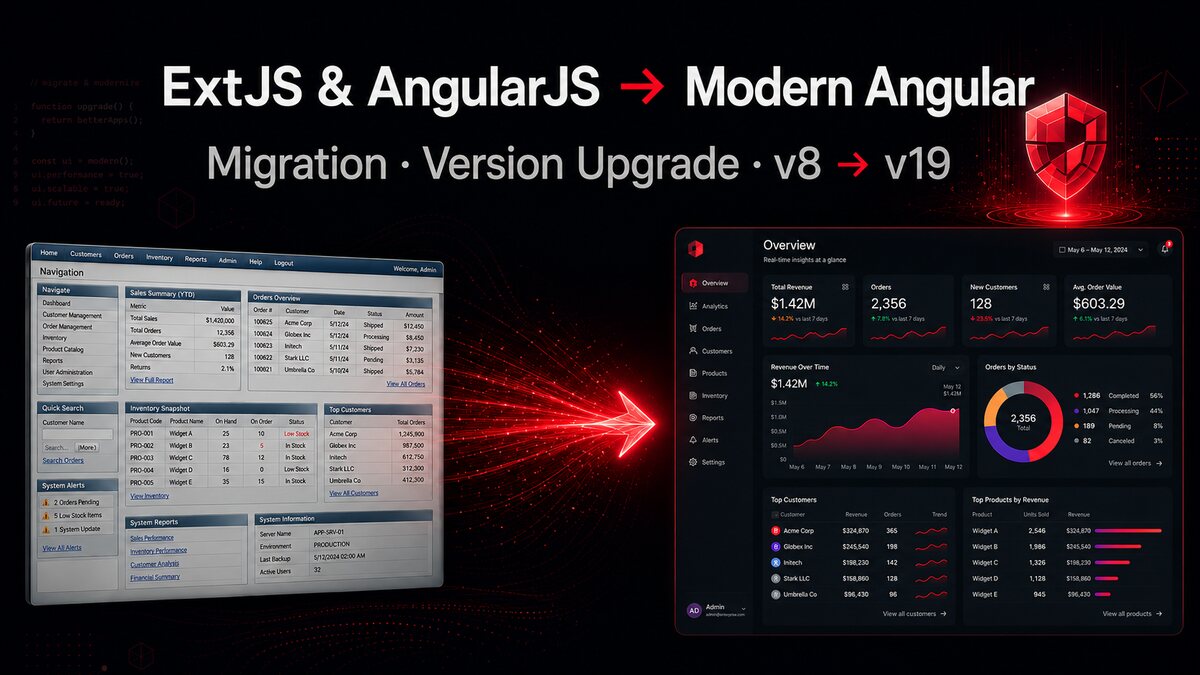
An Angular migration is rarely just a framework update. When an enterprise dashboard has years of ExtJS, AngularJS, older Angular modules, custom components, and business-critical workflows, the real job is to modernize it without stopping product development. I have worked on large production Angular applications across versions 8 to 19 and led a live SaaS dashboard upgrade from Angular 10 to 15 and then 17. The biggest lesson is simple: treat modernization as a sequence of controlled releases, not one heroic rewrite.
This guide covers how I approach an ExtJS or AngularJS migration to modern Angular, how to plan major Angular version upgrades, and where enterprise dashboard modernization usually becomes risky.
Why an Angular migration needs a staged plan
A full rewrite looks clean on a roadmap because it promises a fresh architecture with no legacy compromises. In practice, it creates two products: the old application that still needs fixes and the new application that is not ready yet. Requirements continue changing while the rewrite is underway, so the replacement can already be behind by launch.
For an enterprise Angular migration, I prefer a staged approach. Keep the current dashboard running, identify clear feature boundaries, and move one workflow at a time. A repair order screen, reporting area, inventory workflow, or customer module is a better migration unit than “the whole frontend.” Each release should leave the application usable and the codebase easier to change.
The same rule applies to Angular version upgrades. Angular's official update guidance says major versions must be upgraded one at a time. A project moving from Angular 8 to Angular 19 should not skip directly between those endpoints. Each major step runs its own migrations, exposes its own dependency conflicts, and gives the team a smaller set of failures to diagnose.
Audit the legacy dashboard before changing frameworks
Before writing new Angular code, I map what the existing ExtJS or AngularJS application actually does. Screens are only the visible layer. The difficult parts are often hidden in shared state, permissions, validation, keyboard behavior, exports, background refreshes, and assumptions inside API clients.
My migration inventory normally includes:
- Routes and workflows: which screens users enter and how they move between them
- Data contracts: request formats, response shapes, pagination, filtering, and error handling
- Authorization: which roles can view or change each action
- Shared UI: grids, forms, dialogs, date controls, notifications, and navigation
- State: what is local to a component and what must survive route changes
- Operational behavior: analytics, logging, feature flags, downloads, printing, and browser support
This audit prevents a common failure: reproducing the page layout while losing small behaviors that real users depend on. A modern dashboard is not successful because it looks better. It is successful when users can complete the same work safely, then gain measurable improvements from the new architecture.
Separate framework migration from product redesign
ExtJS and AngularJS applications often look old, so teams naturally want to redesign the interface during the migration. I separate those decisions whenever possible. Changing the framework, component behavior, visual system, and backend contract in one release makes regressions difficult to isolate.
A safer sequence is to establish the modern Angular shell first: routing, authentication, layout, API services, error handling, and the shared design system. Then migrate a feature with functional parity. Once the new feature is stable, improve its interaction design with real feedback.
That does not mean copying weak legacy code into Angular. It means preserving business behavior while replacing the implementation. For example, an ExtJS grid with server-side filters can become a modern Angular table, but the API contract and permission rules should remain stable during the first cut unless there is a strong reason to change them.
Upgrade Angular one major version at a time
For an Angular version upgrade, I start from a clean branch with a passing production build and a known test baseline. Then I update Angular core and the CLI together, because their major versions are aligned in supported Angular releases.
# Example: move one major version at a time
ng update @angular/cli@^18 @angular/core@^18
npm test
ng build --configuration production

# Commit the stable result before the next major
ng update @angular/cli@^19 @angular/core@^19
The commands are the easy part. The work is in the dependency matrix around them: Angular Material, NgRx, RxJS, TypeScript, test tooling, custom builders, lint rules, and third-party UI libraries. I check their supported versions before each step rather than letting the package manager choose a combination that merely installs.
I also commit after every stable major upgrade. If version 16 is working and version 17 exposes a builder problem, that clean checkpoint is valuable. It keeps the investigation focused and makes rollback straightforward.
Modernize architecture after the application is stable
Reaching Angular 19 does not require converting every module or service to the newest style on the same day. Version migration and architecture modernization are related, but they have different risk profiles.
After the framework upgrade is stable, I evaluate standalone components, newer template control flow, improved dependency injection patterns, and signals where they simplify existing state. I do not replace working RxJS streams just to use a newer feature. RxJS remains useful for asynchronous event flows, cancellation, and composed server requests. Signals are useful for fine-grained local state and derived UI values. The right choice depends on the workflow.
The build system deserves its own migration step as well. Angular's current build system uses newer tooling such as esbuild and Vite-based development serving. Official guidance notes that the older webpack browser builder is deprecated, while the application builder is the preferred modern option. Custom webpack behavior, stylesheet imports, output paths, server-side rendering, and CommonJS assumptions can all require manual attention, so I validate the deployment pipeline after the build migration rather than assuming a successful local build is enough.
How I reduce migration risk
Protect business-critical workflows
I put the most important user journeys into a regression checklist before touching the framework. For a SaaS dashboard, that can include creating and updating records, role-based actions, totals, search, filters, exports, and payment-related flows. Automated tests help, but focused manual verification by people who know the workflow catches assumptions that old tests may not describe.
Measure before and after
Modernization should have a reason beyond reaching a newer version number. I capture build time, main bundle size, slow routes, browser errors, and key interaction performance before the migration. That gives the team evidence when a new builder, lazy route, or component refactor improves the product—and catches a “modern” change that makes it worse.
Release behind controlled boundaries
When old and new screens must coexist, stable routing and API boundaries make gradual rollout possible. Feature flags or role-based rollout can limit the first release to internal users before wider adoption. The goal is to make every migration step reversible until production evidence says it is safe.
The takeaway for enterprise dashboard modernization
The safest ExtJS or AngularJS to Angular migration is not the fastest rewrite. It is the migration that keeps business workflows working while reducing legacy risk in visible, testable stages. Audit first, migrate by feature, upgrade Angular one major at a time, and modernize architecture only after each framework step is stable.
You can see my Angular enterprise dashboard and SaaS modernization work in my portfolio. For exact commands and version-specific requirements, use the official Angular Update Guide, ng update reference, and build-system migration guide.
If you need to modernize an ExtJS, AngularJS, or older Angular application without putting a live product at risk, contact me.
Written by Muhammad Mustafa — Full-Stack SaaS Engineer
Get in touch